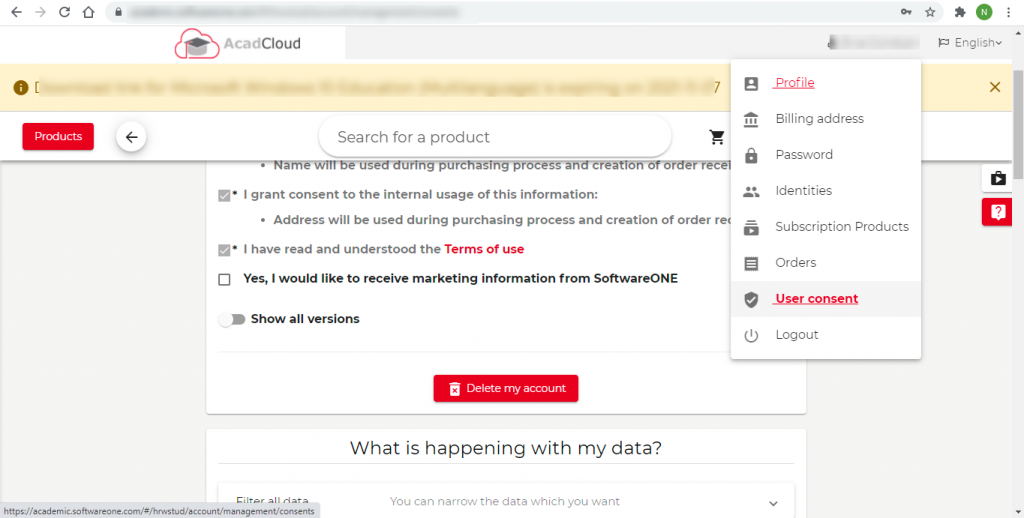
How do I delete my account from the Academic Portal? Login to the academic portal – Click on “User Consent” and scroll down to the tab- Delete my account Updated on December 6, 2021 Was this article helpful? Yes No Related Articles I would like to change my primary email address. I have not received an email to reconfirm my email address, hence unable to purchase products How can I purchase a new product from the portal? How do I add a token to my account? How can I register on the portal? How do I reset my portal password?