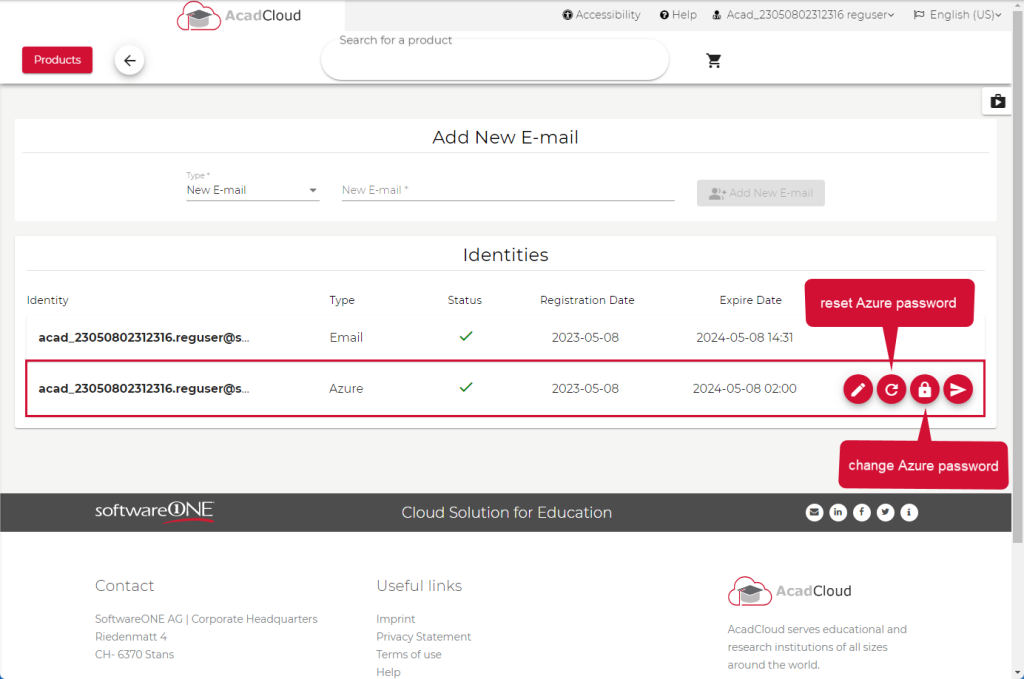
Please keep in mind that we have two options to make adjustments to the password. Depending on your case, you need to choose either the change or reset process.
Resetting a password is usually used when a user has forgotten their password or is unable to log in.
On the other hand, a user can decide to change their password if they feel the need for enhanced security, want to use a new password, or suspect that their current password has been compromised.
Please follow those steps:
Login to your Academic Shop of your School or University.
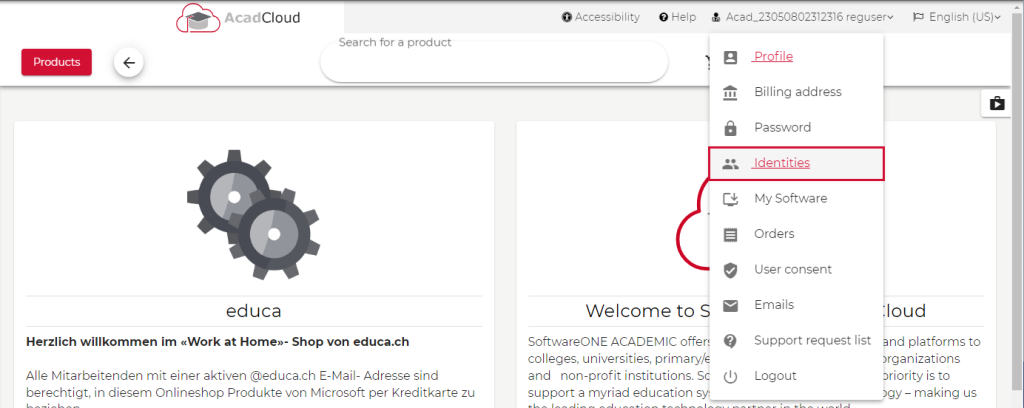
Click on the Tab highlighted in the screenshot.

Click on the Element Identities in the dropdown.
As illustrated by the screenshot here, you now have the option to either reset the Azure password or change it.